
Praxflow Local
AvailableThe complete dental practice software, on your clinic’s computers. Your data stays with you, even without internet.
Pricing: Upon agreement
Request a personal consultation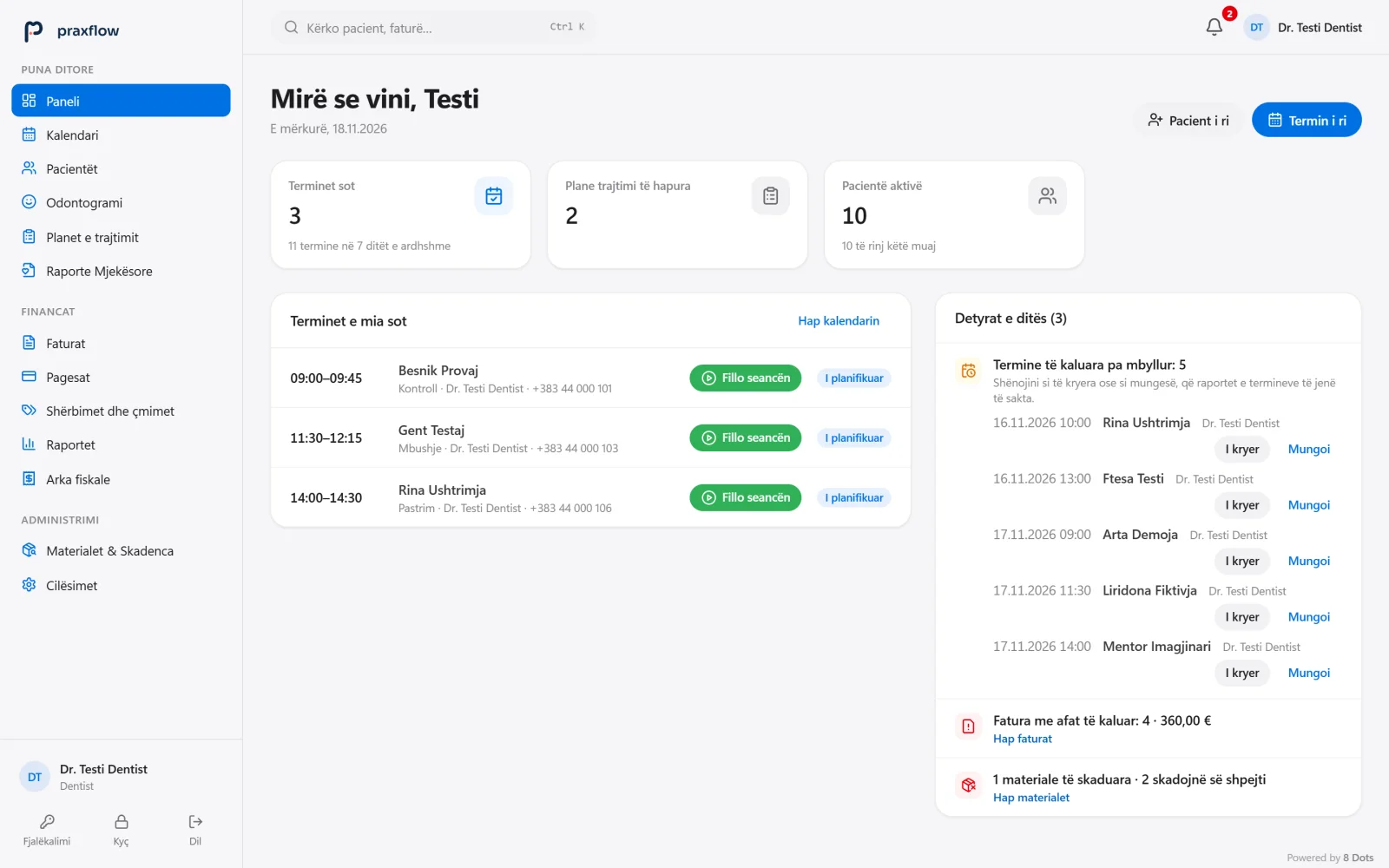
Patient data stays in your clinic.
Praxflow is local by design: no cloud, no telemetry and no dependence on the internet. These are the measures the application applies today.
- Data in the clinicThe database is stored on the clinic’s computer or server. The application sends no telemetry, analytics or error reports.
- HTTPS inside the local networkThe server accepts only private network addresses and communicates over HTTPS, with the clinic’s own certificate.
- AES-256-GCM backupsBackups are encrypted and verified after creation. A restore is fully checked before it replaces any data.
- Works without internetThe desktop application and the local server do not depend on an internet connection.
Everyone sees what they need
- Every staff member has their own account; passwords are stored as Argon2id hashes and after five failed attempts sign-in is locked for 15 minutes.
- Role-based permissions: reception cannot read the medical history or clinical notes; the administrator cannot read clinical data.
- Issued invoices, payments and finalised clinical entries cannot be edited; corrections are kept with author, time and reason.
One workstation or the clinic network
One workstationDesktop application
One computer with its own database, working without internet.
- Windows 10 and Windows 11
- macOS (Apple Silicon and Intel): ask about its current status
- Local database
- Works without an internet connection
Several workstationsLocal clinic server
One Windows computer becomes the server; other Windows and Mac computers open the application in a browser.
- Local network only, over HTTPS
- Changes appear at once on every workstation
- Encrypted backup every night
- No cloud and no port opened on the router
To get to know the productDEMO version
A demonstration environment to try the software on your own computer.
- Up to 5 registered patients
- Printed documents are clearly marked as demo
- 30 days of use, then read-only
- Data can be carried over to the full version
What remains the clinic’s responsibility
- The application does not encrypt the database itself: turn on BitLocker on Windows or FileVault on Mac.
- A password-protected account for every computer user, and automatic screen lock.
- Backups on encrypted drives, with regular restore tests.
Praxflow holds no security certifications and claims no legal or fiscal compliance. The clinic verifies its data protection and fiscalisation obligations with its own lawyer and accountant.
Every Praxflow feature
Patients, medical history, odontogram, treatment plans, appointments, finances, reports and printing. Praxflow Local and Praxflow Cloud are the same application.
See all featuresIn development
These are not part of the current version. We mark them clearly, so you know what you get today.
ATK fiscalisation
The connection to the fiscal cash register and to the ATK system is in preparation; the software is not certified by ATK. Today the fiscal receipt is issued by the clinic’s fiscal cash register.
Desktop version for macOS
It exists for Apple Silicon and Intel. A Mac can also work through the browser with the clinic’s server.
SMS and e-mail reminders
The application does not send messages to patients.
Licensing and pricing.
The price is agreed with you, based on what your practice needs: the features you need, configuration, training and support.
License
A perpetual license, tied to the clinic’s computer and verified without internet. For the local server, the license sets the number of active staff accounts.
Updates
Version updates are included for one year from the license’s issue. New versions are installed manually, with no automatic update from the internet.
Features on request
You can ask for additional features or leave out the ones you do not need. Such requests affect the price and are set in the quote.
Installation and configuration
Done according to the clinic’s needs: workstations, users, dentists and the price list.
Training and support
Staff onboarding and technical support terms are set out in the quote, according to your team’s needs.
Platforms
Windows 10 and 11. macOS according to its current status. The local server runs on Windows.
Pricing: Upon agreement
Request a personal consultationThe consultation does not commit you to anything.